Refunding an EPASS Pay Transaction
You can refund a customer's previous EPASS Pay transaction back to their original payment method once the payment has been batched. This means that you cannot refund a payment on the same day that you take the payment. Usually, the waiting period is a day.
What if the original payment wasn't made through EPASS Pay?
Any payments made before you started using EPASS Pay do not have a transaction ID and are refunded using an alternative method. Follow the instructions for refunding a payment not made through EPASS Pay.
You can only refund payments without a transaction ID within 180 days of your EPASS Pay onboarding date. After 180 days, you can’t refund any payment that doesn’t have an EPASS Pay transaction ID.
Refunding an EPASS Pay Transaction
-
Open the Invoice Detail in Edit mode.
-
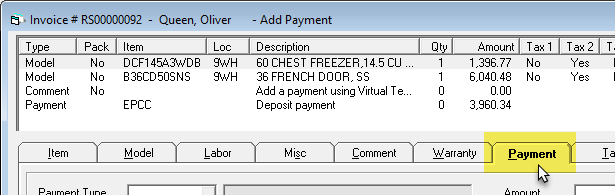
Click the Payment tab.
-
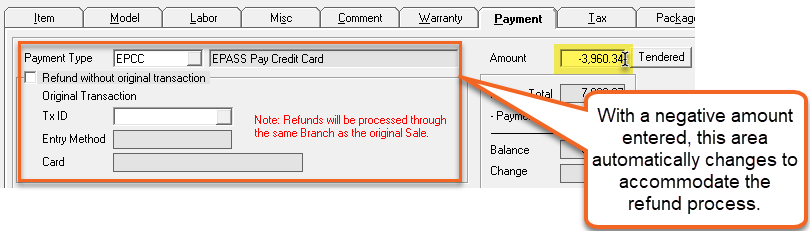
In the Payment Type dropdown, select the EPASS Pay Payment Type you are refunding to.

-
Enter the Amount of the refund as a negative. This triggers the refund function in EPASS.
-
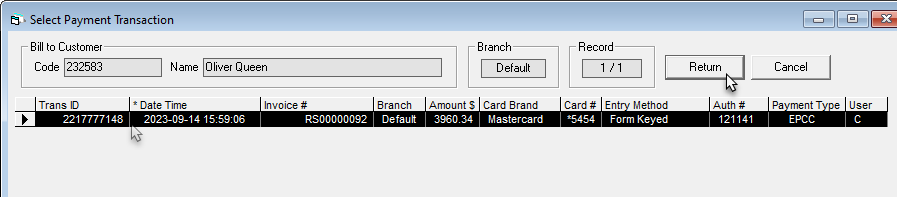
Click the Tx ID browse button.

-
Select the original transaction from the list, and then click Return.
 tip
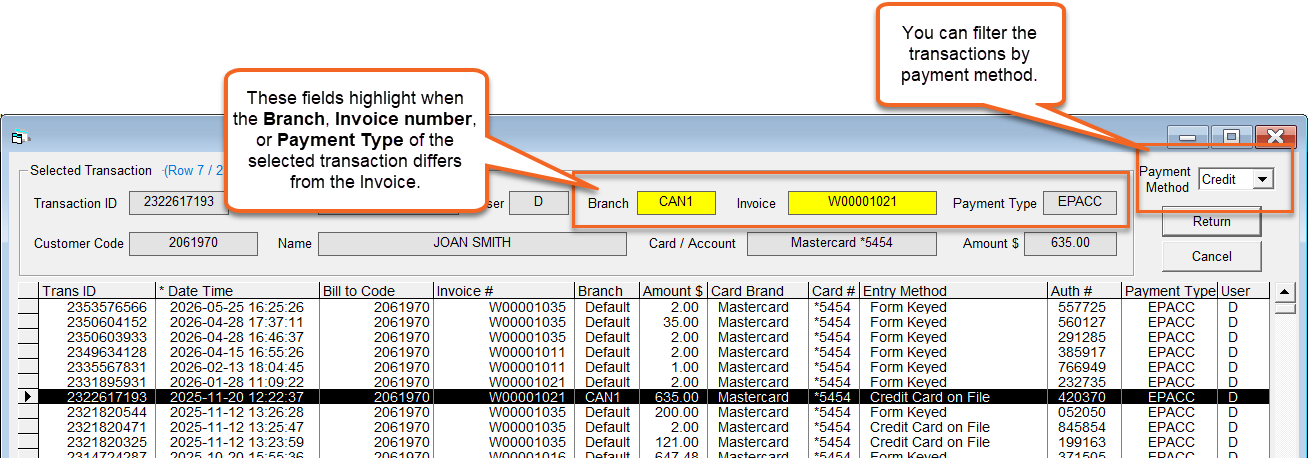
tipThe Select Payment Transaction window has some features making finding the correct transaction to refund easier:
-
(Optional) Enter a Comment for this transaction. The comment appears on the invoice payment line.
-
If not already selected, select your Branch from the dropdown.

-
Click OK. Once the refund is processed, the result is applied to the invoice.
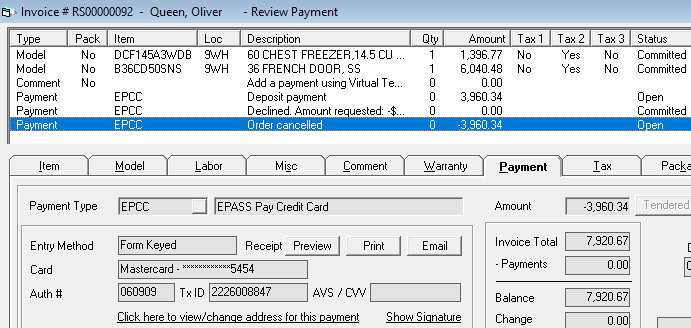
Refunding an Interac Payment (Canada Only)
Interac refunds require the use of an active PIN pad and the original customer card. Refunds are always processed using the original transaction’s branch.
When processing an Interac refund:
-
Start the refund following the steps above in Refunding an EPASS Transaction.
-
Select the original transaction to refund.
-
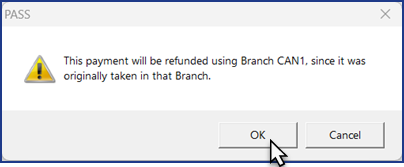
Click OK at the original branch notification.
-
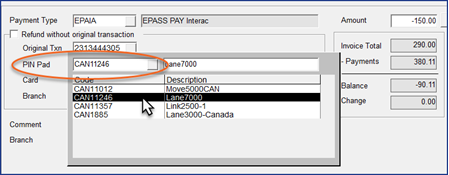
Select a PIN Pad from the dropdown list of available PIN Pads in the original branch. You can select:
- The original PIN Pad used for the sale, or
- Any other listed PIN Pad in that branch.
-
Ensure the customer’s original card is present.
-
Complete the refund.
Refunding a Payment Not Made Through EPASS Pay
Transactions not made through EPASS Pay are refunded to a customer's credit card.
Refunding a transaction without the original transaction ID is only allowed for 180 days starting from the date you on-boarded with EPASS Pay.
To refund the transaction, do the following:
-
Open the Invoice Detail in Edit mode.
-
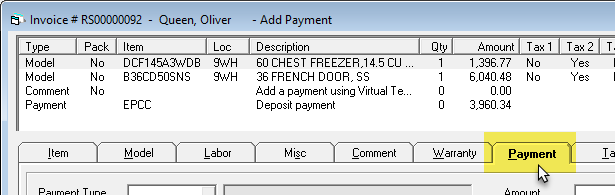
Click the Payment tab.
-
In the Payment Type dropdown, select EPASS Pay Credit Card.
-
Select Refund without original transaction.
-
Select the Entry Method from the dropdown. If PIN Pad is selected, select the PIN Pad you are using from the dropdown.
-
Click OK. Once the refund is processed, the result is applied to the invoice.
See Also
- Taking a Credit or Debit Card Payment
- Taking an ACH Payment
- Voiding a Transaction
- Adding EPASS Pay Payment Types
June 22, 2026